
What's an Acceptable Email Bounce Rate? The 0.3% Myth
An acceptable email bounce rate sits under 2%, under 1% on a well-kept list. The healthy bands, why 0.3% is really Gmail's spam rate, and how to stay low.
What’s an Acceptable Email Bounce Rate? The 0.3% Myth
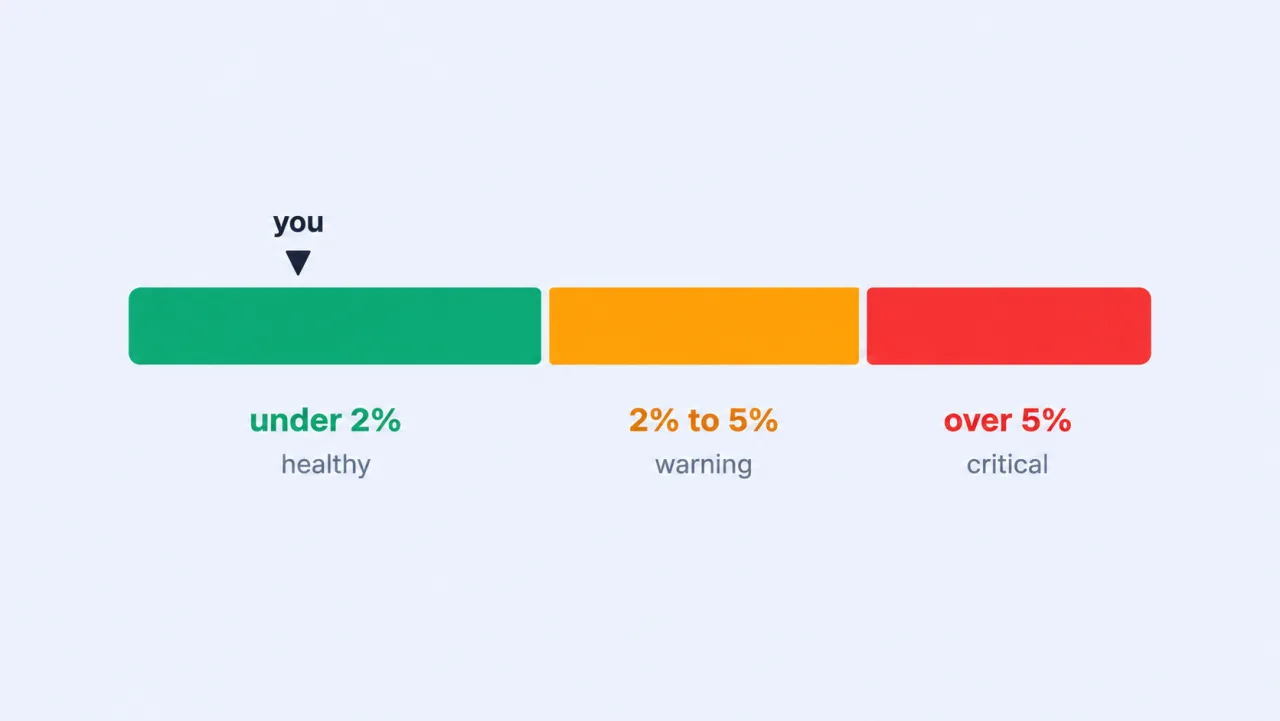
An acceptable email bounce rate is under 2%, and under 1% if you’re actually maintaining your list. Between 2% and 5% means stop and clean; above 5% you’re already paying for it in reputation. Now the correction, because it’s the reason we wrote this: the 0.3% figure that gets pasted into every deliverability thread is not a bounce rate and never was. It’s Gmail’s and Yahoo’s spam-complaint ceiling. Quoting it as a bounce limit is how senders end up panicking at 0.4% bounces while shrugging at 0.4% complaints, which is exactly backwards. Let’s put both numbers where they belong.
What counts as an acceptable email bounce rate?
Keep it below 2%; a well-run list sits below 1%, per ActiveCampaign’s benchmark data. Drift past 2% and you’re in the warning zone; above 5% is critical in most benchmark studies. We’d treat these bands as a smoke alarm: the point isn’t the decimal, it’s whether the trend is climbing.
| Bounce rate | Band | What it means | What to do |
|---|---|---|---|
| Under 1% | Good | Well-maintained, verified list | Keep re-verifying on a schedule |
| 1% to 2% | Acceptable | Normal for active marketing lists | Monitor; clean before big sends |
| 2% to 5% | Warning | List hygiene is slipping | Verify the list, remove hard bounces |
| Over 5% | Critical | Reputation damage likely | Stop, clean thoroughly, re-verify before sending again |
One thing the headline number hides: industry spread. ActiveCampaign reports per-industry bounce averages running from roughly 0.33% (beauty) to 1.28% (construction), nearly a 4x gap between sectors doing nothing wrong. So benchmark against your own segment, and against your own last quarter. What doesn’t vary by industry: the lower your bounce rate, the healthier your sender reputation.
Is the 0.3% rule a bounce rate or a spam-complaint rate?
It’s a spam-complaint rate, the single most misquoted number in email deliverability, and we’ve watched it send teams chasing the wrong metric for weeks. Gmail and Yahoo cap the share of recipients who click “Report spam”: below 0.1% as the target, never at or above 0.3%. Neither publishes a numeric bounce-rate threshold at all.
Google’s own wording, from its Email sender guidelines: “Keep spam rates reported in Postmaster Tools below 0.10% and avoid ever reaching a spam rate of 0.30% or higher.” Since June 2024, bulk senders whose user-reported spam rate exceeds 0.3% become ineligible for delivery mitigation until they hold under it for seven consecutive days. And “bulk sender” is a lower bar than most people assume: roughly 5,000 or more messages a day to Gmail addresses, counted across your root domain and every subdomain.
Yahoo’s sender best practices say the same: “Keep your spam rate below 0.3%.” On bounces, both providers go qualitative. Yahoo: “Monitor hard and soft bounces as well as inactive recipients” and “Remove invalid recipients from your list promptly.” Google skips a bounce percentage entirely and tells you to confirm addresses before subscribing and to “automatically unsubscribe recipients who have multiple bounced messages.”
Two different levers, measured at two different stages:
- Bounce rate = of the emails you sent, how many couldn’t be delivered.
- Spam rate = of the emails that were delivered, how many got reported as spam.
A dirty list drives both up, which is why they get conflated. But if you’re holding your bounce rate to 0.3% because “Gmail said so,” you’re enforcing a rule Gmail never wrote, and possibly ignoring the one it did.
Hard bounce vs soft bounce: what’s the difference?
A hard bounce is a permanent delivery failure: the address doesn’t exist, the domain is dead, or you’re blocked. A soft bounce is a temporary one: full inbox, server hiccup, oversized message, and it may deliver on retry. This isn’t a vendor convention; it’s how SMTP itself works. A 5XX response is a permanent rejection, a 4XX is a temporary deferral, and your ESP is just translating those codes into friendlier labels.
What to do with each:
- Hard bounces: suppress immediately. Every send to a known-dead address tells mailbox providers you don’t maintain your list. Keep hard bounces well under 1%.
- Soft bounces: let the retries run, then prune the repeaters. Most ESPs retry automatically. An address that soft-bounces send after send is telling you something. Mailchimp, for one, eventually reclassifies repeat soft-bouncers as hard bounces and removes them.
This is why total bounce rate is a smoke alarm but hard bounce rate is the number reputation actually runs on. A 2% total that’s mostly transient soft bounces is a very different situation from a 2% total made of invalid addresses you should never have mailed.
Not sure whether a specific address is a hard-bounce risk? Verify an email free before you send it, with syntax, domain, MX, and a real mailbox check, so the dead ones never make it into the send.
What causes a high bounce rate?
Picture the version of this you don’t want: you launch the campaign Tuesday morning, and by lunch your ESP has paused it and emailed you a bounce-rate warning. That pause is almost never about your subject line. The ESP watched a slice of your list hard-bounce inside the first hour and cut you off to protect its own IPs. High bounce rates are a list problem before they’re anything else, and the usual suspects are boringly consistent:
- Invalid and typo’d addresses.
jhon@gmail.com,user@gmial.com, abandoned mailboxes. They enter at the signup form and never leave unless you catch them. - List decay. People change jobs and providers constantly. A list that was clean a year ago isn’t clean today. Re-verification is a schedule, not a one-time task.
- Purchased or scraped lists. Packed with dead, role-based, and spam-trap addresses. They spike bounces and complaints at the same time, and they’re the fastest way to wreck a new domain’s reputation.
- No authentication. Missing or misaligned SPF, DKIM, and DMARC gets mail rejected outright, which lands in your stats as bounces. Under the Gmail and Yahoo rules, authentication is now mandatory for bulk senders anyway.
Fix the list and the number falls fast. Skip the fix and Tuesday repeats itself.
How do you keep your bounce rate under threshold?
Verify addresses before you send, then re-verify on a schedule. That’s the whole trick, and it works because dead addresses never reach the mailbox provider in the first place. Pair it with authentication and prompt hard-bounce removal and you’re defending your bounce rate and your spam rate with the same motion.
Our working checklist:
- Verify the whole list before any large send. Run it through bulk verification to strip invalid, dead, and risky addresses. This is the single biggest lever you have.
- Validate at the point of capture. Catch typos and disposable addresses on the signup form, before they’re in the list at all.
- Re-verify on a cadence. Quarterly, or before major campaigns. Decay doesn’t pause because you’re busy.
- Use double opt-in. It filters fakes and typos automatically, and both Google and Yahoo explicitly recommend it. Yes, it costs you some signups. Take that trade.
- Remove hard bounces immediately. Never re-send to a 5XX address. Most ESPs suppress them for you; audit that yours actually does.
- Authenticate your domain. SPF, DKIM, DMARC, and monitor your spam-complaint rate alongside bounces, so you see trouble before the mailbox providers act on it.
One more reason verification belongs at the top: the bill is predictable. With VerifyEmail, one credit verifies one address, and duplicates and failures on our side are never charged, so a messy export doesn’t pad the invoice. Keep the list clean and the bounce rate stays under 2%, and the 0.3% spam ceiling mostly takes care of itself, because you’re only mailing people who asked to hear from you.
Memorize the bands if you like, but the honest version is shorter: a low bounce rate isn’t something you monitor into existence. It’s the byproduct of never mailing an unverified address. Clean your list with bulk verification and start free, with 100 free credits, no credit card required.
Written by
Ryan Sullivan , Email Deliverability & Operations
Ryan has spent over a decade cleaning lists and protecting sender reputation for outbound teams and ESP marketers, and writes about the parts of email deliverability you usually learn the hard way.