
Catch-All Email Verification: Why 'Valid' Sometimes Lies
Catch-all domains accept mail for every address, so basic SMTP checks call dead mailboxes 'valid.' The mechanic behind it, and how to segment without losing leads.
Catch-All Email Verification: Why “Valid” Sometimes Lies
A catch-all (accept-all) domain accepts mail for every address at the domain (live mailbox or not), so a basic SMTP check waves dead addresses through as “valid.” Catch-all email verification is the discipline of detecting that setup and filing those addresses in their own risky bucket instead of trusting the checkmark. And here’s the part most guides bury: a big share of the “catch-alls” on an enterprise list aren’t catch-all at all. You’re talking to their security gateway, not their mail server. Don’t delete the segment and don’t blast it. Segment catch-alls off and send to your confirmed-valid list first.
If you run outbound, this is the status you’ll misread most. Below: the mechanic, the real prevalence numbers, and a workflow that keeps your bounce rate down without throwing away live B2B leads.
What is a catch-all (accept-all) email domain?
A catch-all domain is a mail server configured to accept messages sent to any address at that domain, including mailboxes nobody ever created. Instead of rejecting typpo@company.com or former-employee@company.com, the server takes the message and routes it somewhere (or nowhere). One wildcard rule: take everything addressed here.
Companies turn it on for sensible reasons. Catch-all rescues mail sent to typo’d addresses (jhon@ instead of john@), keeps messages flowing after staff leave, and spares prospects the embarrassment of a bounce when they guess an address. Plenty of companies never chose it at all; it’s a side effect of how their email platform or security gateway handles inbound mail, which we’ll get to in a moment.
Why does a catch-all make an email look “valid” when it isn’t?
Because SMTP verification works by asking the server “will you accept mail for this person?” and trusting the answer. On a normal domain, a fake address gets rejected, and that rejection is how a verifier knows it’s bad. A catch-all says yes to everything, so a dead mailbox and a live one return the identical 250, and the verifier has nothing left to tell them apart.
Walk through the handshake. A verifier connects to the domain’s MX server and issues RCPT TO: for the address it’s checking. A well-behaved server replies 550 (no such user) for a bad address and 250 (accepted) for a real one. A catch-all replies 250 to all of them, including something as obviously fake as random-xyz-9182@company.com. That 250 means the envelope was accepted; it says nothing about whether the mailbox exists. A naive verifier that reads every 250 as “valid” will hand you false positives all day.
Two things make this worse in the wild:
- Secure email gateways. When a company runs Proofpoint, Mimecast, or Barracuda in front of Microsoft 365 or Google Workspace, your verifier reaches the gateway first, and the gateway answers on behalf of the real mailbox server behind it. Gateways are built to accept inbound mail and filter it afterward, so they say
250to almost everything. The result: perfectly ordinary corporate domains that read as catch-all whether the mailbox behind the curtain is alive or dead. - Deferred rejection. Some servers accept at
RCPT TOand reject later, during or after the message body. To a probe they look catch-all, yet they do validate. One more reason a single accept/reject signal never tells the whole story.
The honest answer for these domains is: “the domain exists and accepts mail, but we can’t confirm this specific mailbox.” Want to watch the difference yourself? Verify an email free → and see how a real address resolves versus a catch-all one.
How common are catch-all domains in B2B?
Common enough that you plan around them. ZeroBounce’s List Decay Report puts a hard number on it: more than 9% of the 11-billion-plus emails it processed in 2025 came back catch-all, over 1 billion addresses (ZeroBounce, accessed 2026-07-22). That’s the floor, measured across everything, consumer domains included.
B2B-specific estimates run higher. Vendor figures cluster around 20% to 30% of B2B domains, with the full range spanning roughly 12% to 40% depending on the source and how enterprise-heavy the list is. Those numbers come from verification vendors with varying methodologies, so treat them as directional. But the direction agrees with the hard data: a meaningful chunk of any B2B list is accept-all, and a 30%+ catch-all rate on an enterprise list is normal and no cause for alarm. The cause traces back to infrastructure defaults: Microsoft 365, Google Workspace, and the security gateways sitting in front of them push domains into accept-all behavior. Consumer providers like Gmail and Yahoo are near-zero. Catch-all is overwhelmingly a B2B problem, which is exactly where cold outreach lives.
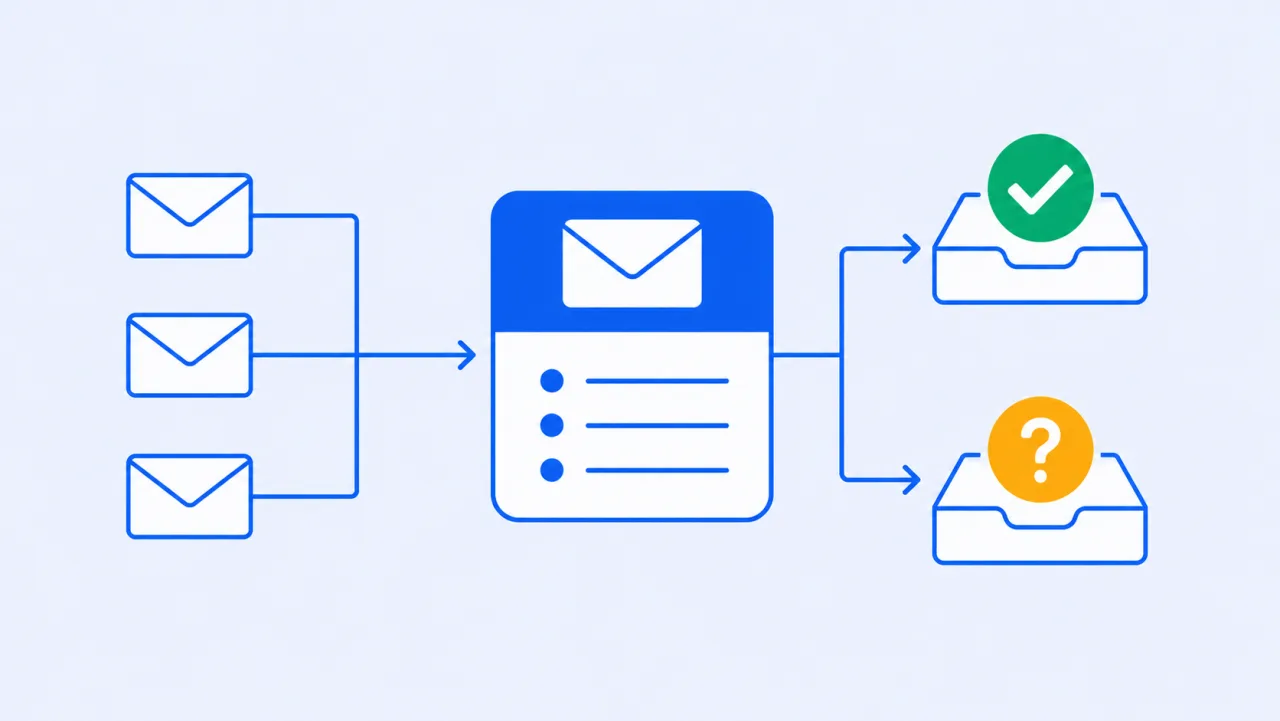
How should catch-all email verification bucket the results?
Four buckets, minimum: valid, invalid, catch-all/accept-all (risky), and unknown. That’s the taxonomy quality verifiers use, and each bucket earns different treatment. A pass/fail report that folds catch-alls into “valid” inflates the pass rate while quietly loading your list with bounce risk. The inflated number is what you’re paying for.
| Result bucket | What the server did | What it means | How to treat it |
|---|---|---|---|
| Valid | Accepted your specific address, rejected fakes | Mailbox almost certainly exists | Safe to send; your primary segment |
| Invalid | Rejected the address (550 / no such user) | Mailbox doesn’t exist | Suppress; sending here bounces |
| Catch-all / accept-all (risky) | Accepted everything, including fake probes | Domain accepts all mail; this mailbox is unconfirmed | Segment separately; verify what you can, test carefully |
| Unknown | No definitive answer (timeout, greylisting 450, gateway block) | Couldn’t complete the check | Don’t guess; retry later or leave out of the send |
A green “valid” count that includes catch-alls is a vanity number.
What actually matters is the size of your confirmed-valid segment, and what you do with the risky and unknown ones.
What should you actually do with catch-all addresses?
People do one of two things with catch-alls: nuke the segment, or blast it like everything else. Both are expensive. The first throws away live B2B leads, since a large share of catch-all mailboxes are real; the second spikes your bounce rate and drags your sender reputation down with it. The disciplined play is to isolate catch-alls and let engagement data decide their fate.
A workflow that holds up:
- Segment, don’t delete. Pull catch-all/risky addresses into their own list. Use bulk verification to tag them at scale instead of eyeballing a spreadsheet.
- Send to confirmed-valid first. Lead with the addresses you know resolve. That protects your domain reputation while you’re still learning what the risky segment is worth.
- Test catch-alls in small, controlled batches. Warm the sending domain, then send low volume into the catch-all segment and watch bounces, opens, and replies.
- Let engagement decide. Catch-all domains that engage are worth keeping and scaling. The ones that bounce or stay cold after a couple of touches get suppressed.
- Warm up through other channels. For high-value accounts, a LinkedIn touch, ad retargeting, or a form fill gives you behavioral proof the person exists, regardless of what the domain’s mail server claims.
- Re-verify every 3 to 6 months. Catch-all status isn’t permanent. Domains change, mailboxes close, lists decay. A clean risky segment protects the deliverability of everything else you send.
Yes, segmenting costs you send velocity. Do it anyway. Velocity into dead mailboxes is just a faster way to burn the domain.
How does billing work on catch-alls?
Plainly: one credit verifies one address, and a catch-all verdict is a completed verification like any other, so it is billed like any other. What you should never pay for is our own noise. Duplicates and failures on our side are never charged, so an address that appears three times in the export costs one credit, and a check that dies on our end costs nothing.
Catch-all is precisely the category where verifiers are least certain, and the mechanics of SMTP are why. What the credit buys you is the honest label: “accept-all” instead of a green tick. The billing terms are spelled out on the guarantee page, and pricing shows how credits map to volume. One more thing worth knowing: the same credit wallet covers both verification and the deliverability side of the platform.
The bottom line
A catch-all domain accepts everything, so “valid” from a naive SMTP check can quietly mean “we have no idea.” Distrust the checkmark, keep the segment, skip the blast: bucket catch-alls separately, send to confirmed-valid first, and let engagement sort the rest. And keep the bill honest: duplicates and failures on our side are never charged, so the only thing you pay for is a verdict.
Ready to see how your list breaks down by real status? Get started free. It includes 100 free credits, no credit card required.
Written by
Ryan Sullivan , Email Deliverability & Operations
Ryan has spent over a decade cleaning lists and protecting sender reputation for outbound teams and ESP marketers, and writes about the parts of email deliverability you usually learn the hard way.