
Why Are My Emails Going to Spam? A Deliverability Checklist
Why are my emails going to spam? The four causes in the order Gmail, Yahoo, and Outlook weigh them, with the fail signal and fix for each in one checklist.
Why Are My Emails Going to Spam? A Deliverability Checklist
The campaign went out fine. Your ESP says delivered. Then the replies stop and someone forwards you a screenshot of your newsletter in their junk folder. If you’re asking why your emails are going to spam, the answer is one or more of four things, in roughly the order mailbox providers weigh them: broken or missing authentication, damaged sender reputation (fed by complaints and bounces, which are fed by your list), weak engagement, and, a distant last, content. Diagnose in that order. Most advice runs it backwards, starting with “avoid the word free,” which is how teams spend a week rewriting subject lines while their DKIM signature stays broken.
Here’s the checklist I actually run, with the fail signal for each item so you can tell which one is yours.
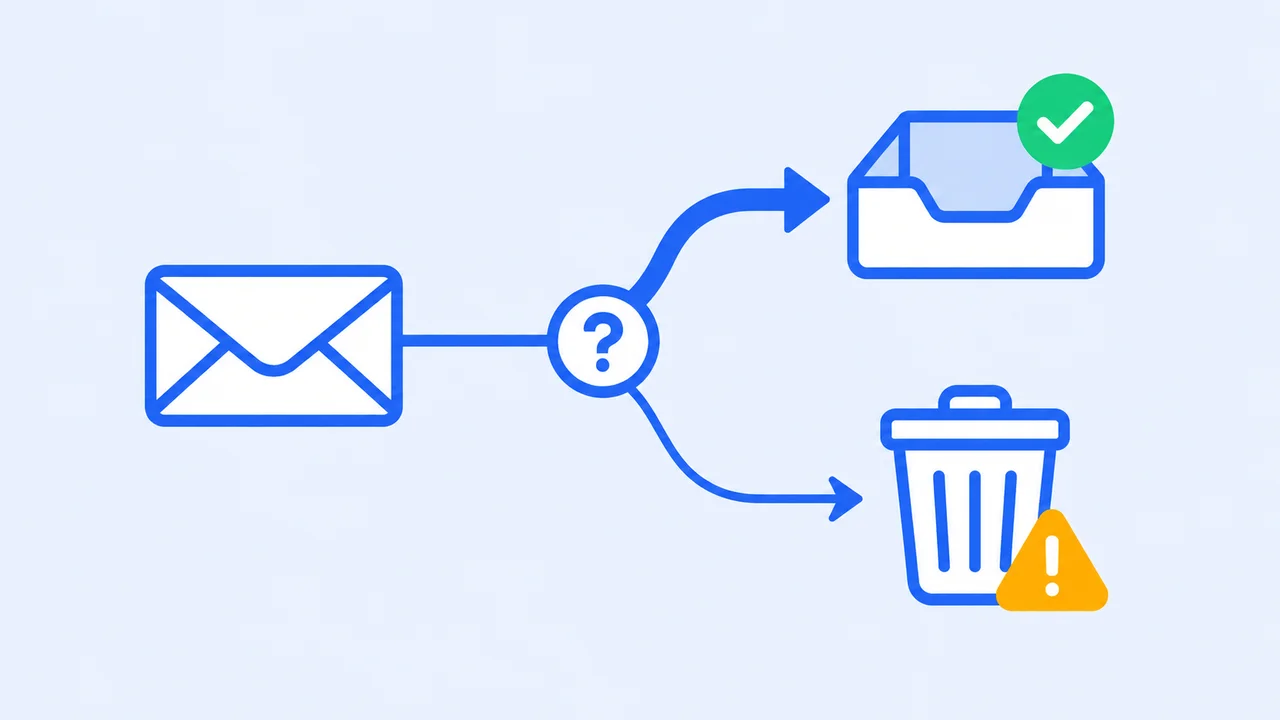
How do you know your emails are actually going to spam?
Prove it before you fix it. A drop in opens is a symptom, not a diagnosis, and “I sent one to my own Gmail and it landed in the inbox” proves almost nothing, because your own mailbox already trusts you. You need placement data across providers, plus the numbers the providers publish about you.
Three sources, in order of usefulness:
- A seed-list inbox placement test. Send the real message to mailboxes you control at Gmail, Outlook, Yahoo, and the rest, and see where it lands at each. A free inbox placement test does this in minutes and gives you a before-and-after for every fix below.
- Google Postmaster Tools. Google is retiring the old Domain and IP Reputation dashboards in favor of a Compliance dashboard that checks you against its sender guidelines directly (Google’s notice). Add your domain and read the fails.
- Your ESP’s bounce and complaint reports. Not opens. Bounces and complaints.
One trap worth naming. Yahoo says outright that its spam rate is calculated on mail delivered to the inbox, and Gmail’s user-reported rate works the same way. If a provider is already routing your mail to spam, those recipients never get the chance to report it, so a sender in deep trouble can show a suspiciously low spam rate. A clean complaint number is not a clean bill of health. That’s why the seed test comes first.
Is your email authentication actually passing?
Authentication is the first thing every major provider checks and the most common reason a legitimate sender lands in spam. Since 2024, Google and Yahoo require anyone sending around 5,000 messages a day to authenticate with SPF and DKIM, publish a DMARC record, and align the From domain with one of them. Microsoft joined in May 2025, and it doesn’t junk non-compliant mail. It rejects it.
The specifics, from the providers’ own pages (checked September 2026):
- Gmail: all senders need SPF or DKIM, valid forward and reverse DNS, and TLS. Bulk senders (5,000 or more messages a day to Gmail, counted across your primary domain and every subdomain, and the label is permanent once you’ve crossed it) need both SPF and DKIM, a DMARC record that can be
p=none, and From-domain alignment. Unauthenticated mail “might be marked as spam or rejected with a 5.7.26 error,” and Google has been ramping up rejections of non-compliant traffic since November 2025 (sender guidelines, FAQ). - Yahoo: same shape. SPF or DKIM for everyone, both plus DMARC at least
p=nonefor bulk senders, relaxed alignment accepted, DKIM keys of at least 1024 bits (Yahoo sender best practices). - Outlook.com, Hotmail, Live: 5,000 or more messages a day from one From domain means SPF and DKIM must both pass, a DMARC record must exist, and one of them must align with the From address. Fail that and the message bounces with
550 5.7.515 Access denied, sending domain does not meet the required authentication level(Microsoft’s NDR page).
The fail signal is in your headers. Open a message you sent to a Gmail account, view the original, and find the Authentication-Results line. You want spf=pass, dkim=pass, and dmarc=pass; paste the raw header into an email header analyzer if you’d rather not squint. The classic failure I see is a team that authenticated their main ESP years ago, then added a CRM sequence or a billing platform that sends from the same domain with no SPF include and no DKIM key. Half their mail passes. The other half is the half landing in spam.
If you’re not sure what each record does, SPF, DKIM, and DMARC explained covers the mechanics, and the free SPF checker and DMARC checker will tell you in seconds whether the records are even there.
What is your sender reputation built from, and how does your list feed it?
Reputation is the mailbox provider’s running score of whether people want your mail, and it’s built from two inputs you control more than you think: complaints and bounces. Both come from your list. Dead addresses become bounces. People who never asked to hear from you become complaints. Fix the list and you’ve fixed the inputs to the score.
The complaint thresholds are public. Google: “Keep spam rates reported in Postmaster Tools below 0.10% and avoid ever reaching a spam rate of 0.30% or higher.” Since June 2024, a bulk sender above 0.3% is ineligible for delivery mitigation until it holds under 0.3% for seven consecutive days (Google FAQ). Yahoo: “Keep your spam rate below 0.3%,” and it wants you in its Complaint Feedback Loop so you see complaints as they happen (Yahoo). Microsoft hasn’t published a number. Assume the same one.
Two clarifications, because I’ve watched both cause panic. First, 0.3% is a complaint rate, not a bounce rate; if you’ve been holding bounces to 0.3% and ignoring complaints, read this before your next send. Second, 0.3% sounds generous and isn’t. Three complaints per thousand delivered messages is what a mildly annoyed list produces on a normal Tuesday.
Bounces damage you differently. Every send to an address that comes back 5xx tells the provider you don’t maintain your list, and a spike of them on a fresh import looks like a purchased list, because it usually is. This is where list cleaning stops being a hygiene chore and becomes the reputation lever: run the list through bulk verification before any large send, so dead addresses never reach the provider at all. Keep catch-all domains in their own segment rather than blasting or deleting them (the catch-all post explains why “valid” lies there). And never mail a bought list to “see what bounces.” That experiment costs you a quarter of reputation.
The remaining reputation signals you check rather than manage: a blocklist listing (Spamhaus and friends), a shared-IP neighbor behaving badly at your ESP, and a sudden volume jump from a domain that usually sends a tenth as much. A new domain that goes from zero to fifty thousand overnight reads as compromised. Ramp it. Yes, that costs you a week of send velocity. Do it anyway.
Are your subscribers actually engaged?
Engagement is how providers decide whether to trust the mail you send tomorrow, and it’s the input you can’t fake. Opens, replies, moves out of spam, and “not junk” clicks push you toward the inbox. Deletes without reading, ignores, and reports push you out. A list full of people who stopped caring is a slow leak in reputation even if nobody ever complains.
The fixes here are unglamorous:
- Only mail people who opted in. Google and Yahoo both say it plainly; Yahoo adds “don’t purchase mailing lists” and warns against pre-checked opt-in boxes.
- Use double opt-in. It costs you some signups and removes the typos and the fakes before they can bounce or complain. Take the trade.
- Run a sunset policy. Someone who hasn’t opened in six months isn’t a subscriber, they’re a liability. Send a reconfirmation, then let them go.
- Make leaving easy. Bulk senders must support one-click unsubscribe with the RFC 8058
List-Unsubscribe-Postheader plus a visible link in the body. Google recommends honoring requests within 48 hours and lists slow unsubscribes as a reason to lose delivery support; Yahoo says two days. A hidden unsubscribe link doesn’t keep subscribers. It converts them into spam reports.
If you want authentication drift, blacklist hits, and inbox placement watched in one place instead of across four dashboards, that’s what deliverability monitoring is for.
Does content matter as much as everyone says?
It matters, and it matters last. Modern filters weigh who you are and how people react to you far more than which words you used. A trusted sender can put “free” in a subject line all day. An untrusted one lands in spam with flawless copy. So I’d put content at the bottom of the checklist, with a short list of things that do still hurt:
- Broken or bloated HTML, and image-only emails with no real text.
- Link shorteners and links to domains with their own bad reputation.
- Subject lines that lie, including fake
RE:andFWD:prefixes. - No plain-text alternative.
- Attachments in bulk mail.
Trigger-word lists are mostly folklore at this point. If rewriting the subject line fixed your placement, it was because you also changed something upstream.
The deliverability checklist
Run it top to bottom. Each row has the signal that tells you this is your problem, so you can stop at the right one instead of doing all ten.
| # | Check | What “fail” looks like | Fix | Where to check |
|---|---|---|---|---|
| 1 | Placement, measured | Message lands in spam on a seed test at one or more providers | Work down this list, re-test after each fix | Inbox placement test |
| 2 | SPF | spf=fail or softfail in headers; a sending tool missing from your record | Add every sender’s include; stay under 10 DNS lookups | SPF checker |
| 3 | DKIM | dkim=fail or no signature on mail from one tool | Publish the selector for every sending platform; 1024-bit minimum | Header Authentication-Results |
| 4 | DMARC + alignment | No _dmarc record, or dmarc=fail because the From domain doesn’t match SPF or DKIM | Publish at least p=none with a rua address; align the From domain | DMARC checker |
| 5 | Complaint rate | Above 0.1% in Postmaster Tools; anything near 0.3% | Cut unengaged segments, fix consent, make unsubscribe one click | Postmaster Tools, Yahoo CFL |
| 6 | Bounce rate | Hard bounces spiking on a send, especially after an import | Verify the list before sending; suppress every 5xx address | ESP bounce report, bulk verification |
| 7 | Blocklists | Listed on Spamhaus or another major DNSBL | Find the root cause (usually list quality), then request delisting | Blocklist lookup |
| 8 | Volume pattern | Sudden spike from a quiet domain or new IP | Ramp gradually; keep a steady cadence | ESP send logs |
| 9 | Engagement | Opens falling, deletes-without-reading rising | Sunset inactive subscribers; reconfirm; segment by activity | ESP engagement reports |
| 10 | Content | Image-only, shortened links, misleading subject, no plain text | Fix the template; stop obsessing over word lists | Render test |
FAQ
Why are my emails suddenly going to spam? Sudden drops almost always trace to a change on your side: a new sending tool that isn’t authenticated for your domain, a list import that spiked bounces or complaints, a volume jump, or a blocklist listing. Check the Compliance dashboard in Google Postmaster Tools and read the authentication results in a recent message header before you touch a single subject line.
How can I check if my emails are going to spam? Sending a test to your own Gmail proves very little, because your own mailbox already knows you. Run a seed-list inbox placement test to see where the same message lands across Gmail, Outlook, and Yahoo, then compare it with your Postmaster Tools spam rate and your ESP’s engagement numbers. Placement plus complaints plus opens tells the real story.
Will setting up SPF, DKIM, and DMARC stop my emails going to spam? It removes the first and most common cause, and it’s now mandatory for anyone sending 5,000 or more messages a day to Gmail, Yahoo, or Outlook.com. It does not repair a damaged reputation or a disengaged list. Authenticated spam is still spam. Treat authentication as the entry ticket, then work on complaints, bounces, and engagement.
Do spam trigger words still matter? Far less than the listicles suggest. Modern filters weigh sender reputation and recipient engagement far more heavily than vocabulary. A trusted sender can write “free” in a subject line; an untrusted one lands in spam with perfect prose. Fix authentication and list quality first, and treat content as the last check.
How long does it take to recover from the spam folder? Authentication fixes can change placement within days. Reputation takes longer: Google, for one, says bulk senders become eligible for delivery mitigation again only after their spam rate stays below 0.3% for seven consecutive days, and real trust rebuilds over weeks of consistent, engaged sending. Cutting the list to people who actually open is the fastest way to shorten that window.
Here’s the tradeoff nobody puts in the checklist: the fastest way out of the spam folder is to send less mail to fewer people. Cut the unengaged, verify the rest, ramp the volume back up, and your placement recovers faster than any subject-line rewrite will manage. It feels like going backwards. It’s the only thing that consistently works.
Start with the list. Clean it with bulk verification, where duplicates and failures on our side are never charged, then run a placement test before and after. 100 free credits, no credit card required. Get Started Free
Written by
Ryan Sullivan , Email Deliverability & Operations
Ryan has spent over a decade cleaning lists and protecting sender reputation for outbound teams and ESP marketers, and writes about the parts of email deliverability you usually learn the hard way.